Skip to main content

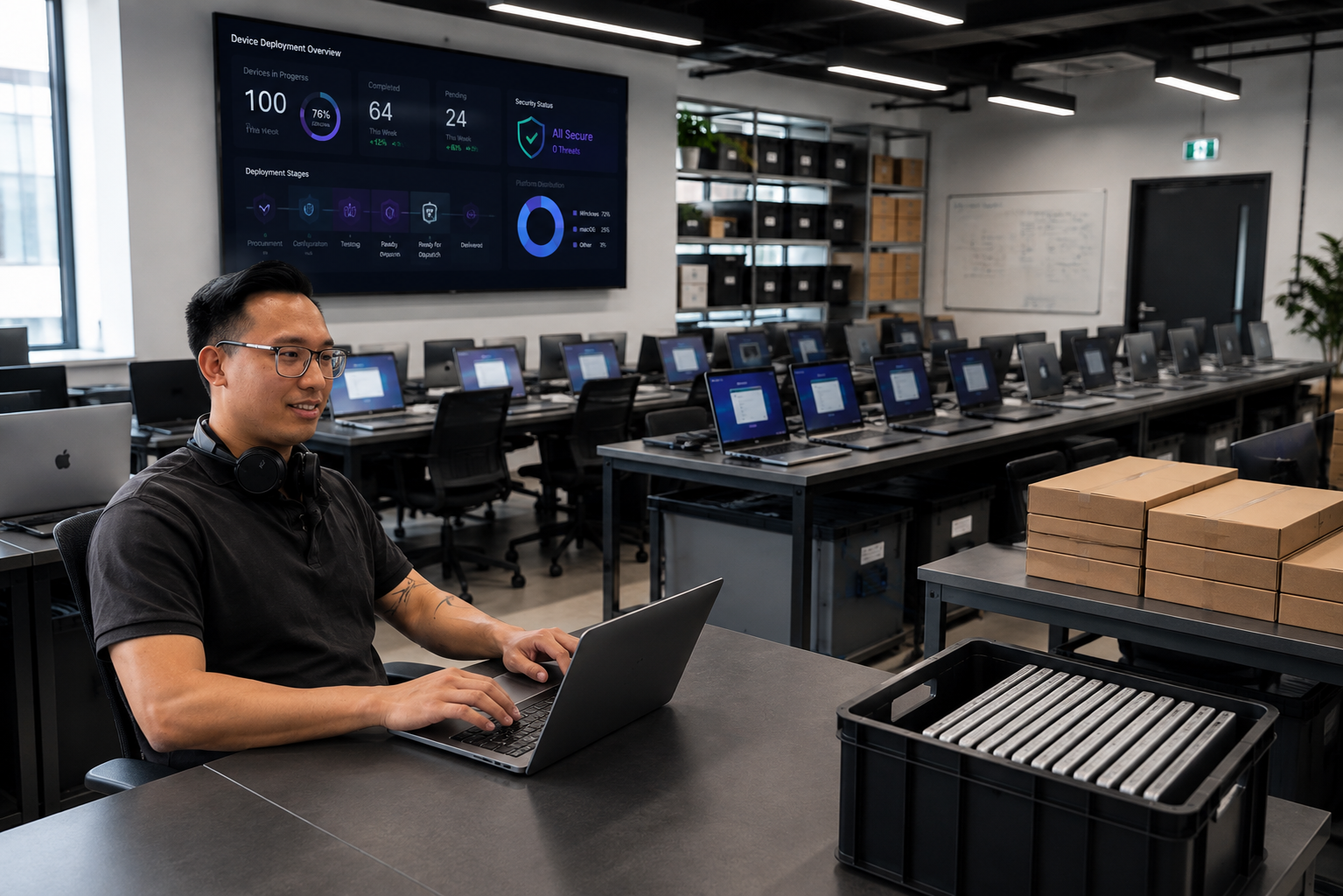

What happens before 100 laptops arrive on 100 desks?
At 9am on Monday morning, 100 employees open 100 new laptops. They sign in, connect to the company network and begin working, with their applications available, security controls active and access to the systems they need.
From the employee’s perspective, it should all feel remarkably straightforward. Behind that apparently simple experience, however, is a carefully managed process involving procurement, configuration, security, testing, asset management and logistics.
For Wes and Adam in FUTERA’s IT team, the job is not simply to get 100 Windows PCs or Apple Macs delivered. It is to make sure that every device reaches the right person, with the right configuration, at the right time, and that the employee can begin using it with as little interruption as possible.

It begins with understanding the people using the devices
Before Wes and Adam begin preparing any equipment, they need to understand how the organisation and its employees work. The first question is not simply which laptop the customer wants to purchase, but what each person needs their device to do.
A designer, salesperson, finance user and remote worker may all require different specifications, applications and accessories. Some employees need greater processing power, while others place more importance on portability, battery life or the ability to connect to multiple displays. The organisation may also use a combination of Windows PCs and Apple Macs, each with its own applications, security requirements and device management arrangements.
This initial discovery helps the team make suitable recommendations while avoiding two common problems: employees receiving equipment that cannot adequately support their work, or the business paying for specifications that will never be used.
- Who will receive each device and where they are based
- Whether they require a Windows PC or Apple Mac
- Which applications, access permissions and accessories they need
- How and when the equipment will be delivered
- Whether an existing device needs to be collected
- Whether deployment will take place at once or in planned phases
“Getting the information right at the beginning makes everything else more efficient. We are not just preparing 100 identical boxes. We are making sure each employee receives the technology they actually need to do their job.”
WesIT Technical Engineer
Giving every laptop an identity
Before a laptop reaches an employee, Wes and Adam make sure it is properly recorded as part of the customer’s technology estate. This can include its serial number, asset tag, model, specification, warranty details, intended location and assigned user.
Maintaining accurate asset information allows the organisation to understand what it owns, where the equipment is located and who is responsible for it. It also makes future support, warranty management, security reviews and device replacement planning much easier.
Without this information, visibility can quickly be lost as employees move between locations, change roles, work remotely or leave the organisation. What begins as a small administrative gap can eventually become both an operational problem and a security risk.

Preparing Windows PCs and Macs before delivery
Opening 100 boxes and manually setting up every laptop at the employee’s desk is rarely the most effective way to manage a large deployment.
Windows PCs can be enrolled and managed using Microsoft Intune, often alongside Windows Autopilot. Apple Macs can be prepared using Jamf, Apple Business Manager and Automated Device Enrolment. These platforms allow much of the device configuration to be defined centrally before the employee starts using the equipment.
When the employee switches on the laptop, connects to the internet and signs in, the correct configuration can begin automatically. The applications, policies and settings associated with that user or device are then applied without a technician needing to complete every part of the setup manually at the desk.
This is commonly described as zero-touch deployment, although the name can disguise the amount of work required to make it successful.
““Zero-touch does not mean zero preparation. The technology can automate the setup, but the user information, applications, policies and security requirements all need to be properly planned first. The quality of the employee’s experience depends on the work completed before the device reaches them.””
AdamIT Technical Engineer
Security is part of the deployment
Every new laptop becomes another endpoint connecting to company applications, networks and data. For Wes and Adam, this means security cannot be treated as something to add after the device has been delivered.
Through platforms such as Microsoft Intune and Jamf, security and compliance policies can be applied as part of the initial configuration. Depending on the organisation’s requirements, these controls can include encryption, endpoint protection, multi-factor authentication, software update policies and restrictions governing applications or access to company information.
It is equally important that the correct access profile is applied to the correct employee. A general office user may not require the same permissions as a member of the finance team, a developer or a system administrator. The aim is to give each employee access to everything they genuinely need without creating unnecessary exposure elsewhere in the organisation.
Testing the experience, not just the laptop
A laptop can switch on successfully and still not be ready for work. The real test is whether it has been correctly registered, enrolled, updated, protected and connected to the systems its intended user needs.
Before a deployment is completed, Wes and Adam check that the correct policies and configuration have been assigned, required applications are available and the device is associated with the right employee. These checks matter because a minor configuration mistake can have a much greater impact when it is repeated across 100 devices.

Helping employees know what to expect
The technology is only one part of a successful deployment. Employees also need to know when their laptop will arrive, what they need to do when they receive it and where they can get help if something does not work as expected.
This becomes particularly important when devices are delivered directly to remote employees. Without a technician standing beside them, the initial instructions need to be clear and the setup process needs to be intuitive. Good communication reduces uncertainty and prevents many avoidable support requests.
Getting every device to the right place
One hundred laptops do not necessarily travel to one office. They may need to be distributed across several branches, delivered to home workers or sent to temporary project locations. Each package needs to contain the correct laptop and accessories for its intended employee, while deliveries need to be tracked and receipt may need to be confirmed.
Arrangements may also be required to collect the equipment being replaced. Returned devices should be assessed, securely wiped and either prepared for redeployment or moved through an appropriate recycling or disposal route. This is where technology deployment becomes a coordinated exercise across IT, security, logistics, HR and the employees themselves.

Support continues after the laptop arrives
Wes and Adam’s involvement does not necessarily end when the courier completes the delivery. Employees may need help during their first sign-in while applications and policies continue to download and apply in the background. The IT team also needs to respond if a device fails, is lost or stolen, or needs to be reassigned.
When an employee leaves the organisation, access must be removed and their laptop located, collected and securely prepared for its next use. This requires a clear joiner, mover and leaver process connecting HR, IT, asset management and security. A deployment is therefore not a single delivery event. It is the beginning of the device’s managed working life.
Success is measured by what employees do not notice
Most employees will never see the planning behind their new laptop, and that is often a sign that the deployment has worked. The right equipment reaches the right person. They can sign in, find their applications and access the information they need. Their device is protected, their permissions are appropriate and help is available if they need it.
There is no queue of employees waiting for passwords, software installations or missing adapters. The new technology supports their working day instead of interrupting it.
For Wes and Adam, putting 100 laptops onto 100 desks is not really about moving 100 pieces of equipment. It is about creating 100 successful employee experiences.
Frequently asked questions about laptop deployment
How long does it take to deploy 100 laptops?
The timescale depends on equipment availability, configuration complexity, the number of applications involved and employee locations. A structured plan allows procurement, configuration, testing and delivery to be completed in controlled phases.
Can laptops be configured before they are delivered?
Yes. Windows PCs and Apple Macs can be registered with device management platforms before delivery. When the employee connects the laptop to the internet and signs in, the correct applications, settings and security policies can be applied automatically.
What is Microsoft Intune?
Microsoft Intune is a cloud-based endpoint management platform that helps organisations manage devices, applications, security policies and access across supported operating systems.
What is Jamf used for?
Jamf specialises in Apple device management and can help organisations deploy, configure, secure and manage Macs, iPhones and iPads throughout their working lives.
What is the difference between Microsoft Intune and Jamf?
Microsoft Intune supports several device and operating system types and integrates closely with the wider Microsoft environment. Jamf provides more specialised Apple management capabilities. Some organisations use the platforms together.
What is zero-touch laptop deployment?
Zero-touch deployment allows much of a laptop’s setup to take place automatically when the employee connects to the internet and signs in. The preparation is completed centrally through predefined management profiles.
Can laptops be delivered directly to remote employees?
Yes. Devices can be registered and prepared for direct delivery. The employee can then follow an initial sign-in process that enrols and configures the laptop, supported by clear instructions and access to help.
How are new business laptops secured?
Controls can include device encryption, multi-factor authentication, endpoint protection, software update policies, application controls and compliance checks. The configuration should reflect the organisation’s requirements and the employee’s role.
Can different teams receive different laptop configurations?
Yes. Device profiles can be created for different departments, locations and roles, allowing employees to receive the applications, access permissions and security controls appropriate to their work.
What happens to the laptops being replaced?
Reusable devices can be securely wiped and redeployed. Equipment at the end of its useful life should have its data securely removed before being recycled or disposed of appropriately.
What happens if a company laptop is lost or stolen?
If the laptop is enrolled in a device management platform, the organisation may be able to restrict access, lock the device or remove company data remotely. The available response depends on the configuration and policies already in place.
Contact Us
Planning a PC or Mac deployment?
Whether you are equipping a new team, refreshing ageing hardware or deploying devices across multiple locations, FUTERA can support the process from initial planning and procurement through to configuration, delivery and ongoing management.
Our objective is not simply to deliver the equipment. It is to make sure every employee receives a device that is ready, secure and capable of supporting their work from the moment they sign in.
Speak to FUTERA about planning your next device deployment.